
The process
How Serva works
Two easy ways to get the help you need — start with a post, then book your favourites directly.
Way 1 — Post a job
Post a job, let providers come to you
Not sure who to pick? Post your job in the Serva app and it goes out to nearby verified service providers. They apply, you choose who's right for the job.
Job title & category
Give your job a clear title and pick the category that fits.
Describe what you need
Add a short description so service providers know exactly what the job involves.
Area, suburb & street
Set your area or city and suburb. Street address is optional — only share it when you're ready.
Date & time
Choose when you'd like the job done.
Add up to 5 photos
Optional — photos help service providers quote accurately the first time.
Post & pick your provider
Your post appears to nearby verified service providers. They apply, you choose who you want.
See it in action
Post a job in 3 simple steps
A quick walkthrough of how the post-a-job flow works inside the Serva app.
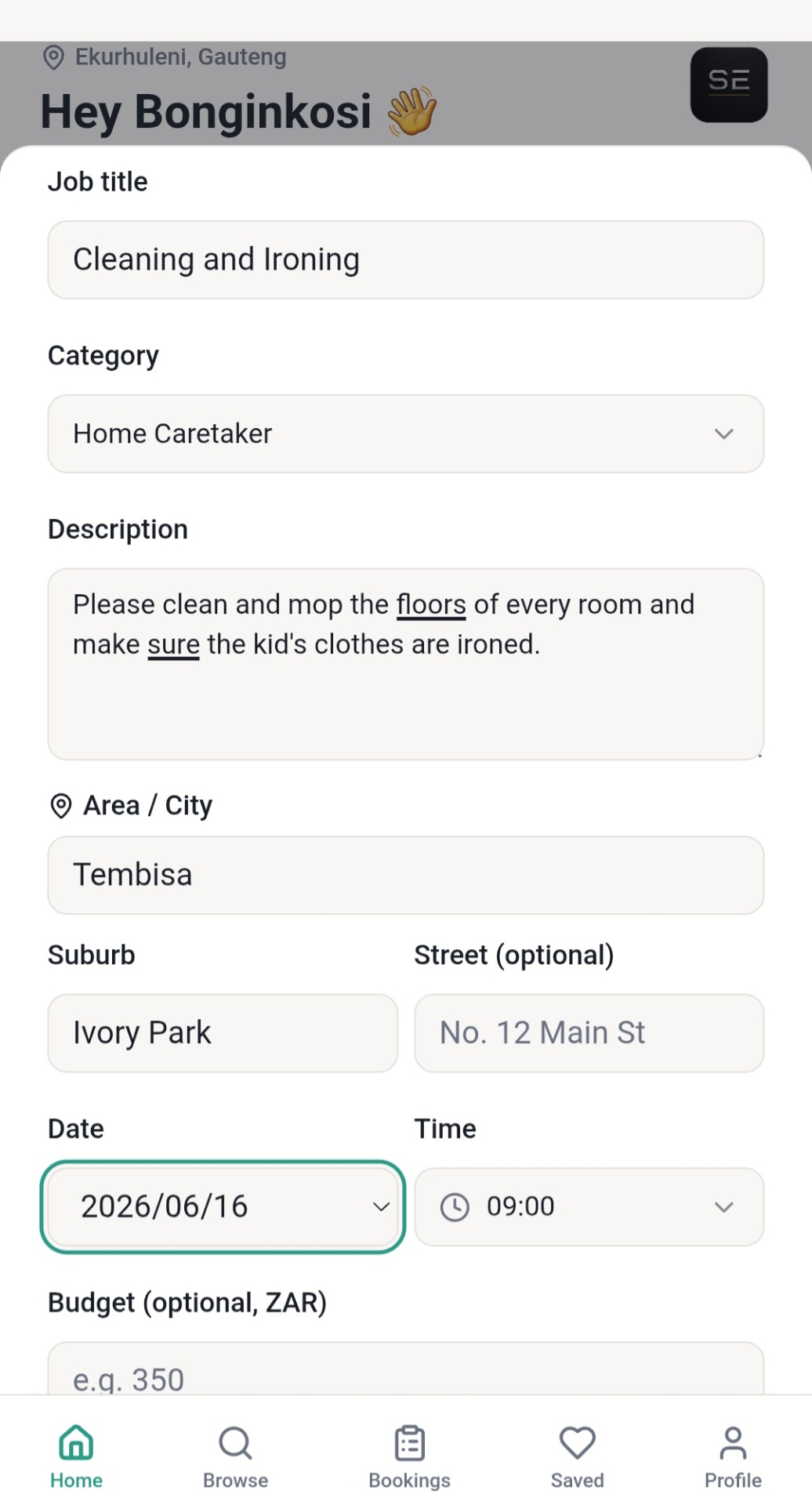
Fill in your job details
Add a title, category, description and location. Anything marked optional (like street address) can be shared later once you've picked a provider.
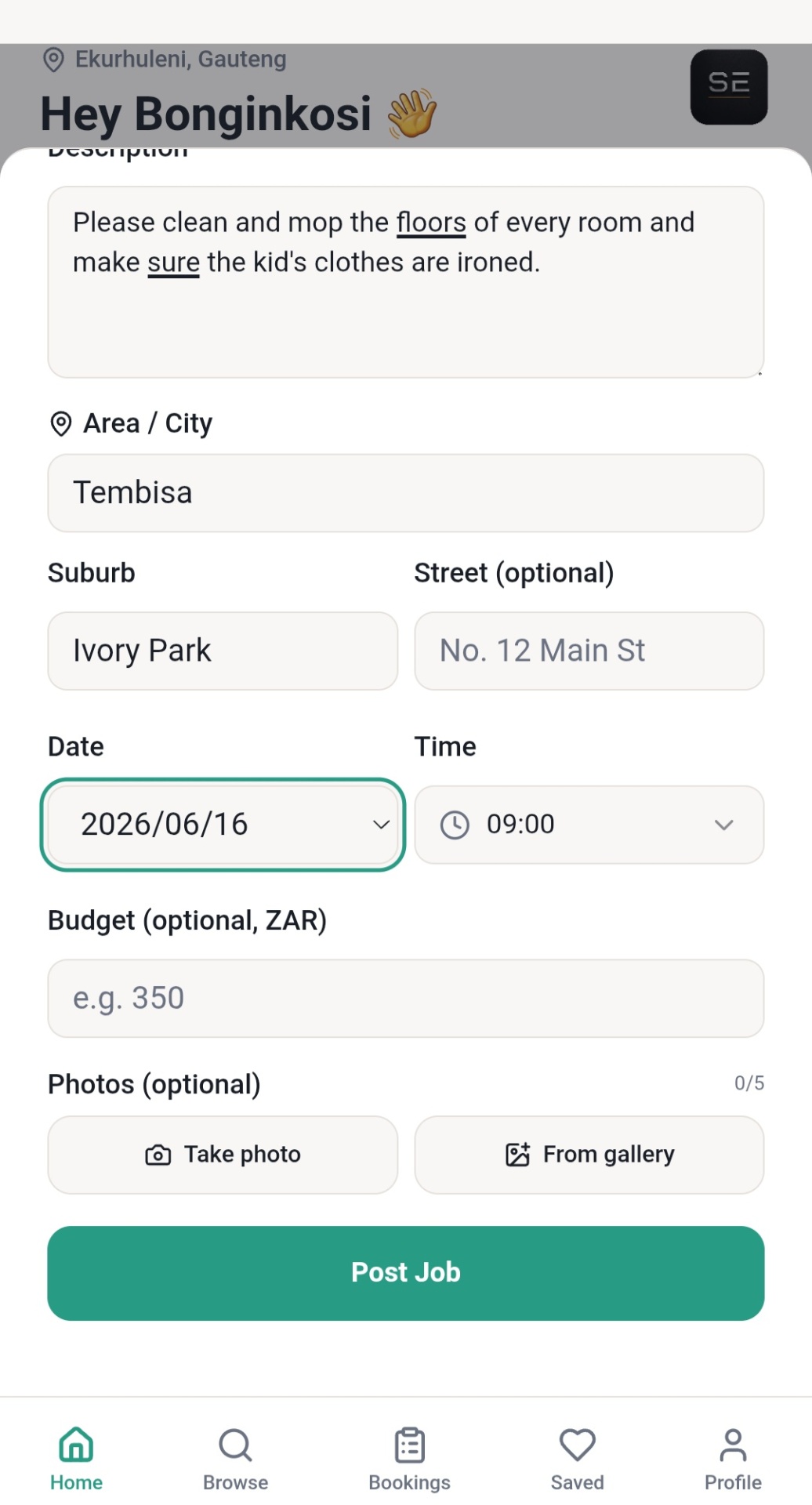
Add photos & hit Post Job
Set a date and time, an optional budget, attach up to 5 photos, then tap Post Job to send it out to nearby verified service providers.
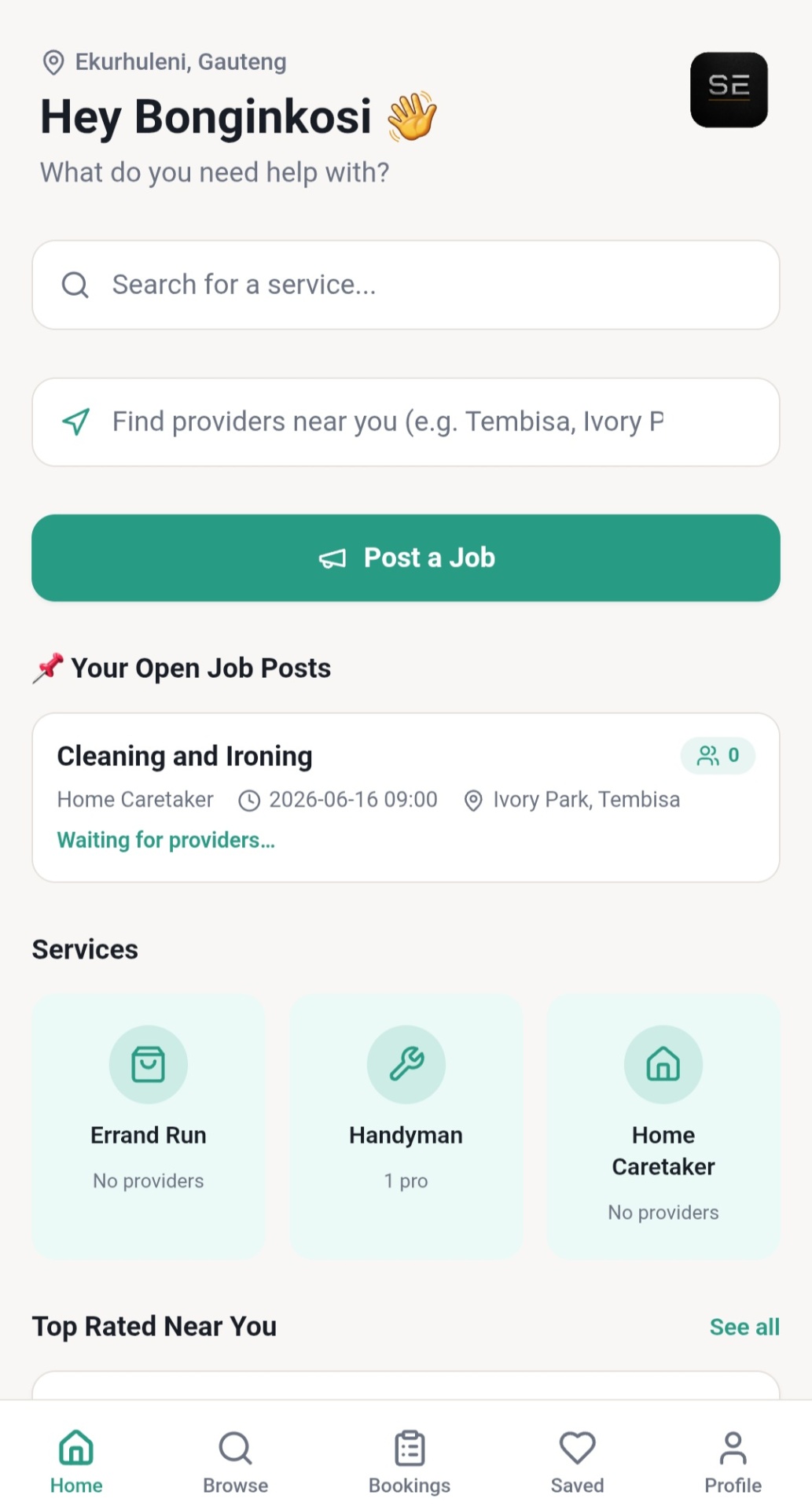
Wait for providers to apply
Your post appears on your home screen under Your Open Job Posts. Verified providers apply, you pick who you want.
Loved your provider? Book them directly next time
Once you've found a verified service provider through the post-a-job flow and you're happy with their work, you can skip the post next time. Jump straight to the search & book flow and book them directly — no need to wait for applications.
Way 2 — Search & book
Find your provider and book straight away
Already know who you want? Search for nearby verified service providers, check their ratings and Serva badge, and book them directly — just like that.
Find your service provider
Open the Serva app and find the closest verified service provider for the service you need.
Describe the job
Share the details in-app so service providers can quote accurately the first time.
Confirm in the app
Receive a transparent quote. If you agree on the amount, confirm the request — all inside the Serva app.
Job gets done
The provider arrives and completes the work to a verified standard.
Funds on completion
Funds are released to the provider once the job is done. Secure escrow payments roll out as we scale up.
Verified service providers, every time
Every service provider passes ID and quality checks before being listed. Top performers earn the Serva badge — visible right on their profile.
Read our trust & safety standards